A Brand Named Local
A Texas apparel brand with city chapters in Houston, Dallas, and Austin, running on Ella, a paid Shopify OS 2.0 theme. They wanted the storefront to look like the brand. I built the brand as a layer on top of Ella: nine Liquid sections, three snippets, five templates, and one toggle that takes the whole skin back off again.
The Store
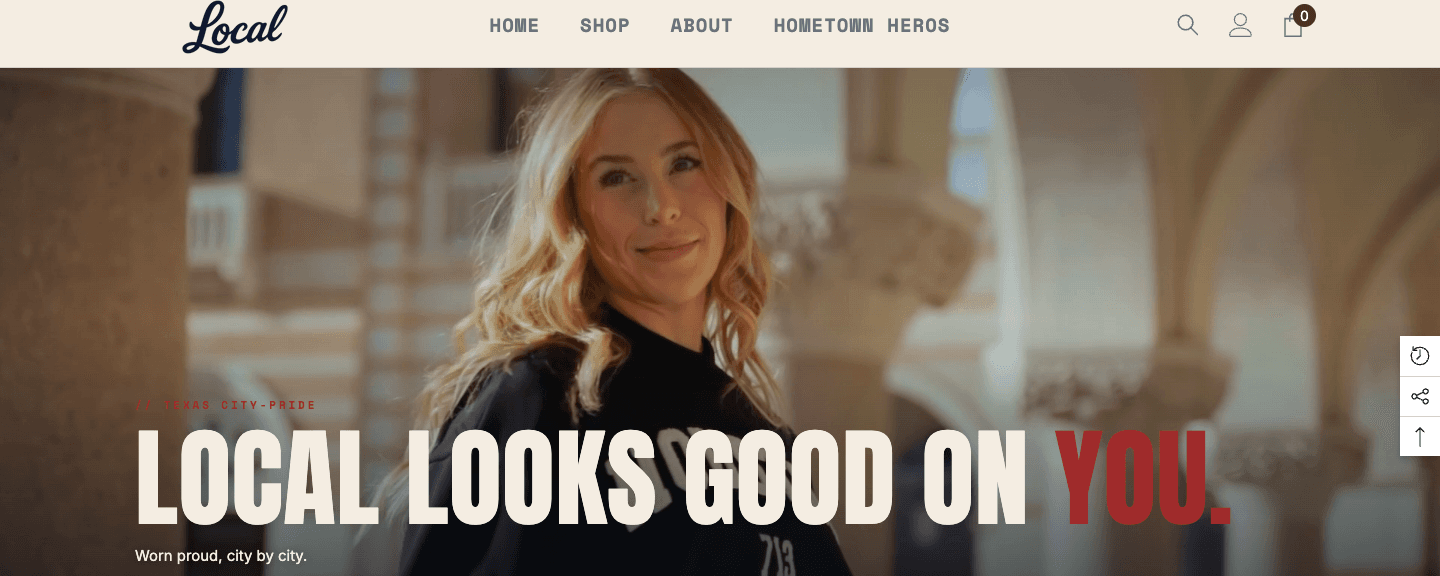
A Brand Named Local sells Texas city pride as apparel. Houston, Dallas, and Austin each get a chapter, with the area code printed on the garment. The store runs on Ella, a paid theme with a deep feature set and a strong look of its own. The brand had a locked palette, a wordmark, and a line the owner had been using for years, and my job was to get all of that onto the storefront while Ella kept doing everything it already did well.
The Approach
I built the brand as a layer that sits on top of Ella rather than inside it. Nine custom Liquid sections, three snippets, and five JSON templates, added alongside the theme. One rule governed every decision: this is a design reskin, so Ella's features stay exactly where the merchant found them. Anything I added had to be something the merchant could add, move, or remove from the theme editor on their own.
The delivery constraint shaped that. Every file went in by hand through the Shopify admin code editor, into a duplicated draft theme. The client's live store kept serving its own theme the entire time, so the duplicate was both the workspace and the rollback.
Everything Lands in the Theme Editor
The nine sections expose 207 settings between them, grouped the same way every time: Content, Buttons, Layout, Type scale, Color, Spacing. Each one carries a color scheme select with cream, navy, and custom. Cream and navy map to the brand tokens. Custom unlocks per-section pickers, where the muted and hairline tints derive from the chosen text color, so a picked color and its tints always agree. All of a section's CSS is scoped to its own section id and inlined with the section, which keeps it away from Ella's styles and lets the same section appear twice on a page.
Everything beyond the sections lives in one place, a section called Brand Styles that sits in the header group and loads on every page. It has a master toggle and twelve toggles under it, one per concern: page background, content rail, announcement bar, header hairline, wordmark, collection toolbar, product cards, card buttons, badges, filter sidebar, pagination, and the buy-button fix. Switch the master off and the store is stock Ella again, from the theme editor, with every saved setting still in place.
The Instagram band hosts the store's feed app block, and the fallback tiles underneath step aside the moment an app block is present, so the band looks finished before the feed is connected and looks right after.
Ella's Grid, Reskinned
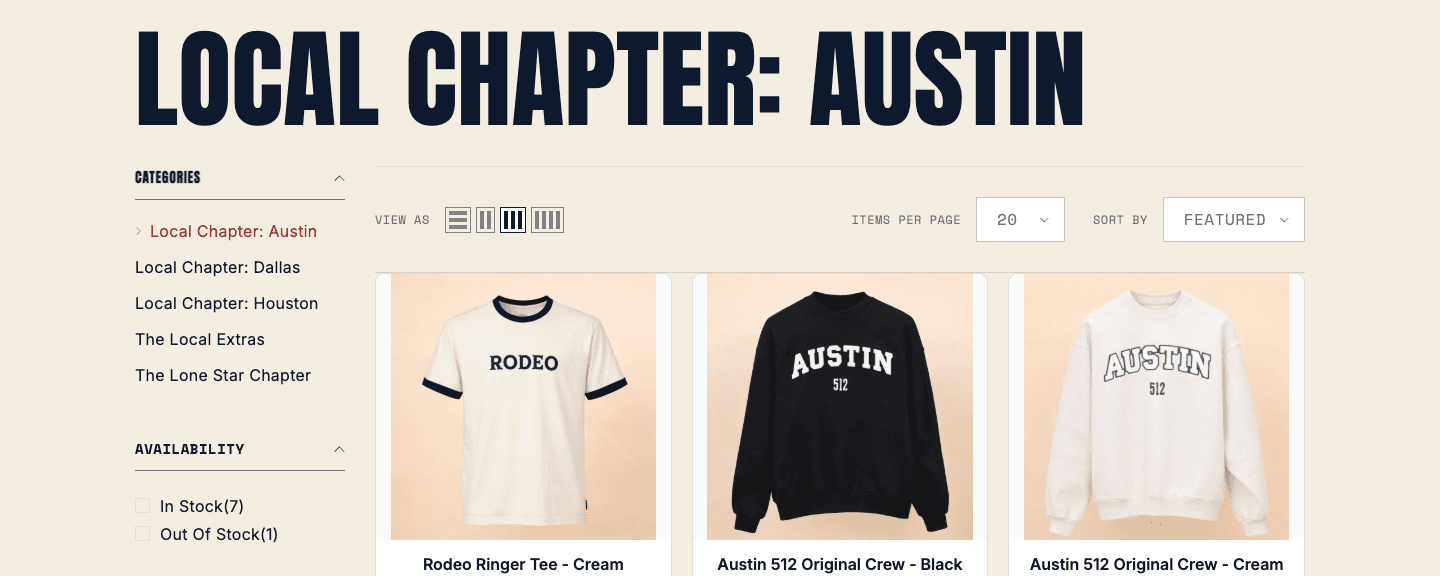
The collection page went the long way around. I built a custom grid section first: branded toolbar, native filter dropdowns, swatch-dot cards, real pagination. It looked right. Then I read what it was replacing. Quick add, quick view, wishlist, the price filter, view-as, items per page, recently viewed, all of it live and working on the client's grid.
So the custom grid came out and Ella's real grid got a reskin instead. Same toolbar, same native storefront filters, same cards, repainted to the brand. The merchant keeps every feature they already had, and the page still matches the comps. The reskin is appearance only, which is why it can be switched off from a checkbox.
Fonts With a License
The store was rendering in GT America, a trial-licensed typeface, from two independent sources. One was a Shopify section that rendered invisibly in the body and forced the family with an important flag. The other was about seventy lines hand-appended to the end of Ella's base stylesheet, hardcoding body copy and h1 through h6 to the trial family and bypassing Ella's own font-family variables entirely.
That second source is why the first fix looked complete. Ella's CSS variables read the new fonts while the computed style kept reporting the trial family. The tell is a variable-driven rule losing to a hardcoded one, and the answer is deleting the hardcoded rule rather than stacking another important flag on top of it.
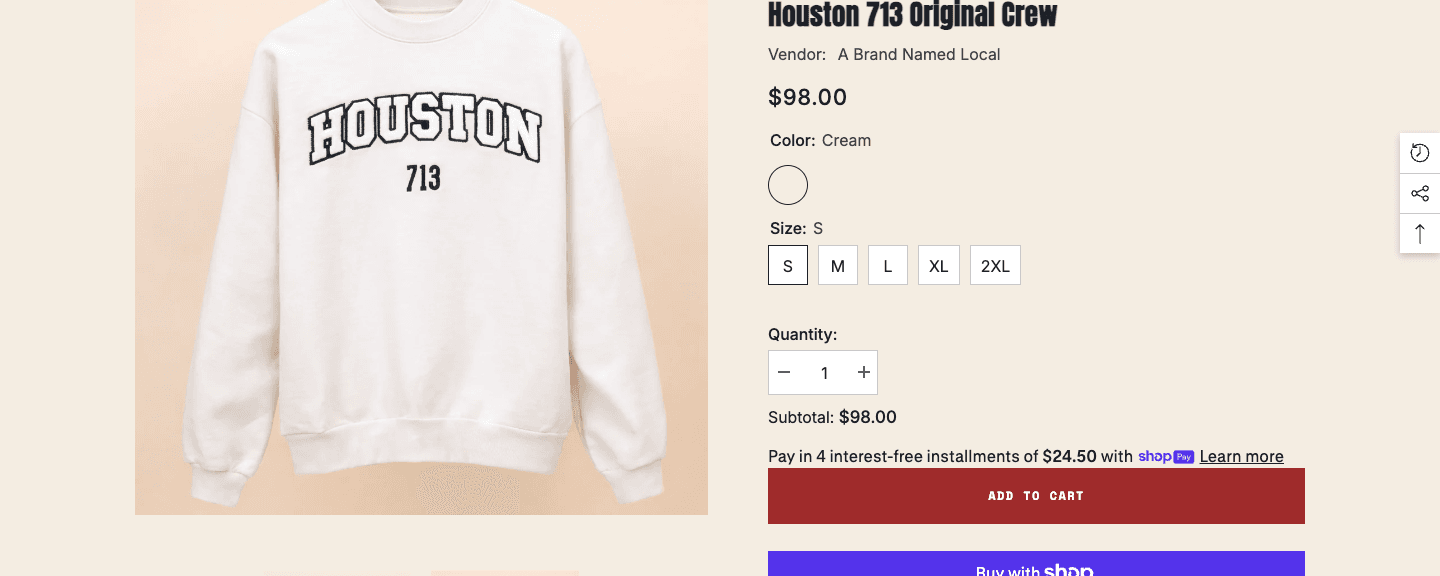
I removed both sources and rebuilt the type stack on licensed fonts. Inter and Anton come from Shopify's own font library, which also sends Ella's font plumbing down its first branch so the theme serves type from the Shopify CDN. Space Mono is self-hosted as two woff2 files in the theme assets, loaded from the head so it resolves on first paint. Verified in the browser: every font request the theme makes resolves inside Shopify's own domains, and the font registry reports Inter, Anton, and Space Mono.
The Add to Cart Button
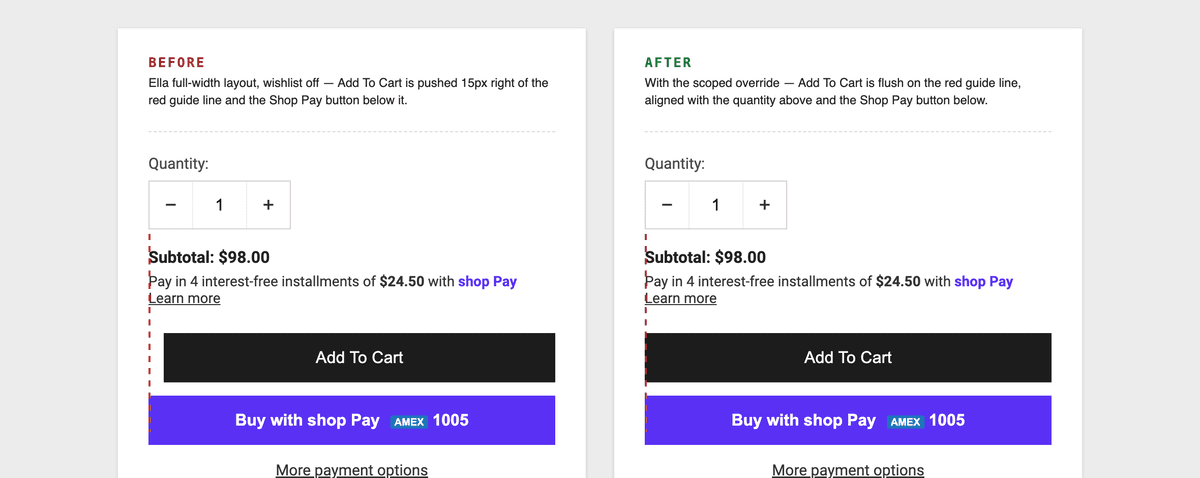
The client reported the Add to Cart button sitting slightly right of everything around it. The quantity stepper above it, the subtotal, the Shop Pay button below it, all flush to the column edge, and Add to Cart alone indented by fifteen pixels.
The cause is one line in Ella's product stylesheet. In the full-width product layout, the action container carries a fifteen pixel left margin, which is the gap Ella reserves for the wishlist heart that normally sits beside it. This store runs with the wishlist off, so Ella renders the action container full width with nothing beside it, and the reserved gap becomes an indent.
Ella  │ assets/component-product.css
      │   .product-full-width .productView-groupTop
      │   .productView-action { margin-left: 15px }
      │
      │   the 15px is the gap for the wishlist heart

store │ wishlist off, so the heart never renders and the
      │ container ships as .productView-action-2, full width

fix   │ one scoped rule, four classes against Ella's three,
      │ loaded after component-product.css
      │
      │   .productView-action.productView-action-2
      │   { margin-left: 0 }
      │
      │ wins on specificity and source order
      │ turn the wishlist back on, Ella's 15px returns on its own
I shipped it with a standalone HTML harness that reproduces the behavior using Ella's real layout rules copied verbatim, plus before and after captures, so the diagnosis is checkable by anyone without a store login.
A Validator That Speaks Shopify
Pasting into an admin code editor means Shopify's server-side schema validator is the first thing that sees the work, and it is stricter than a plain JSON parse. A range default that lands off its own step grid gets rejected. So does a blank string default. So does a select default that lives outside its own options. Each rejection costs a round trip through the admin.
So I wrote the check locally. 270 lines of Python, standard library only, run before every commit and every paste. It checks:
- Schema validity across all nine sections and every JSON template
- Range defaults inside their bounds and on the step grid, compared in integer-scaled space so the arithmetic stays exact
- Select defaults present among their own options, and string defaults carrying a real value
- Conditional visibility written as a single expression that fully qualifies its settings
- Setting ids and block types present at the last commit still present in the working tree, because a renamed id orphans a merchant's saved value silently
- The brand-styles section keeping to Ella's own selectors, so each section stays the owner of its own width
- Liquid float math and a fallback guard on every custom color picker read, since a cleared picker returns blank
- An equivalence map, 21 entries pairing each hardcoded literal I lifted into a setting with that setting's new default, so 207 new knobs still render the approved design at their defaults
Next to it, a 92-line screenshot differ. Point it at a baseline and a fresh capture, mask the rectangle where the hero video plays since that frame changes on every capture, set a tolerance and a maximum changed-pixel percentage, and it exits non-zero when a paste moves pixels outside the mask.
The Klaviyo Audit
Klaviyo was already installed, so before adding a signup band I audited what was live, read only, leaving every setting as I found it. What I found:
- One list receives every signup, and every capture path feeds it, including the Shopify subscriber sync that carries the theme's own native form
- Four flows live: welcome, abandoned cart, abandoned checkout, and post purchase
- Added to Cart tracked twice into two metrics with identical names. One is server-side from the Shopify integration and carries product properties. One is client-side from a theme snippet and carries none. The live cart flow triggers on the server-side one, which is the right one to keep
- The account holds four of the five canonical lifecycle flows. Browse abandonment is the fifth, and its prerequisite, Viewed Product tracking, is already on and firing, so it is buildable today
- An embed form had been repurposed into a giveaway, so the Local Club band ships with the native form, which already works end to end through the subscriber sync
- The welcome email's Dallas block links to the Houston collection, a one-line fix inside Klaviyo
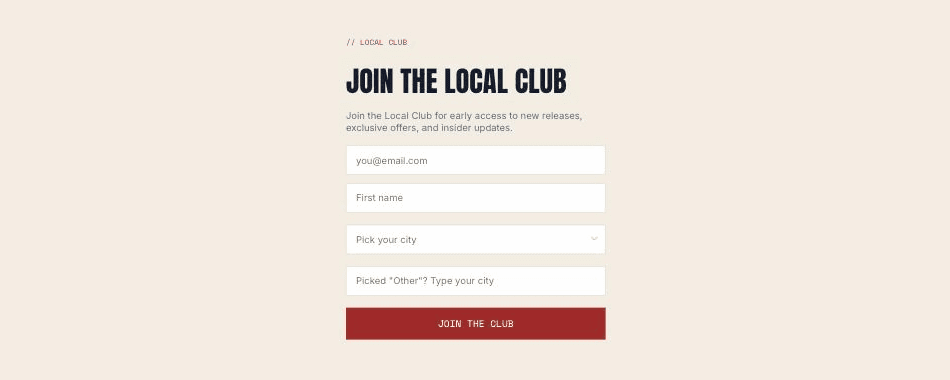
Then I built and published the form the brand actually wanted: a full-page signup on the store's own domain, shown on URLs carrying a Local Club anchor so it opens for people who follow the link. City dropdown, an optional field for cities outside the list, and the takeover triggers removed so the link is the one place it appears.
What the Owner Got
Alongside the theme, a three-page operating manual, generated rather than written by hand. A build script inlines real customizer screenshots, positions numbered chips over them by percentage coordinates, and lays out nine task recipes whose steps map one to one onto those chips. Headless Chrome prints it to PDF. Change one button, edit the announcement bar, resize a headline, swap the story photo, run the monthly hometown spotlight, add a city, change a section's colors, reorder or hide a band, work the signup band. Every recipe answers a question the owner asked at some point during the build.
The content rules are part of the delivery too. A product's city chapter resolves through a passed argument, then a chapter metafield, then real collection membership. When it resolves, the chapter link renders. When it resolves to nothing, the section renders without it, because a guessed URL is a 404 with the brand's name on it. The collection header works the same way, reading the collection title automatically and taking a description only when someone types one into the section settings.
Tech Stack
Results
Every number here is countable in the build itself.
The whole build is Liquid and scoped CSS. There is one script tag in the repo, and the template block that would call it came out during round one, so the storefront runs on markup and stylesheets.
Need a Shopify Build?
I build on the theme you already own, and leave the controls in the editor.
Response within 24 hours